
Automatic EXIF Sync
Photos are matched to your video timeline using EXIF timestamps. No manual alignment needed.
Automatically match your photos to the exact moment they were taken in your POV camera video. Add AI narration, edit on a timeline, and share everywhere.
Get notified about new features, tutorials, and tips for POV creators
No spam, ever. Unsubscribe in one click.
Features
POV Syncer transforms your camera footage and photos into polished, shareable videos.
Photos are matched to your video timeline using EXIF timestamps. No manual alignment needed.
Six neural voices — UK, US, and Australian accents. Cloud-rendered audio with karaoke captions and a reusable Voice Library.
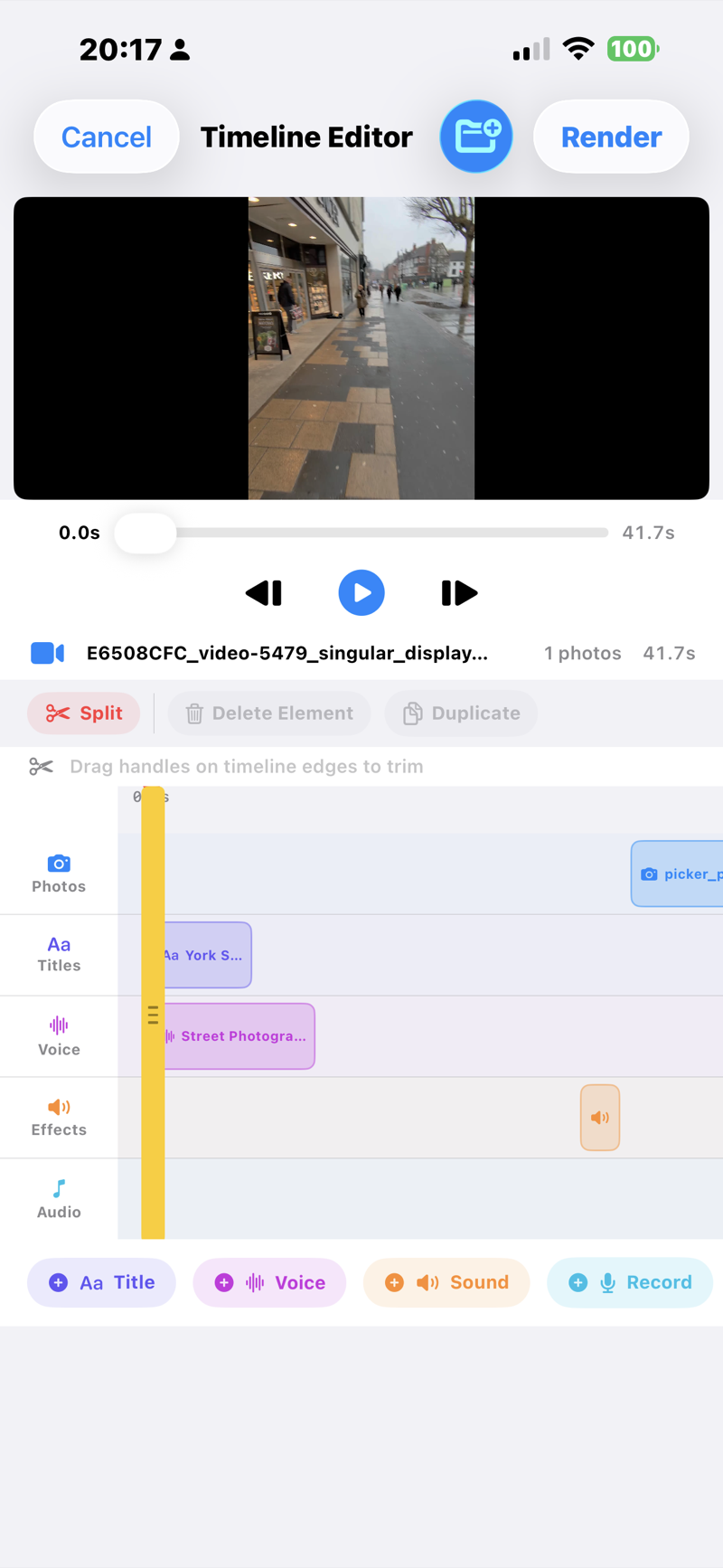
4-track timeline with photos, titles, voice, and effects. Drag, drop, and scrub frame-by-frame.
From elegant serif to bold impact, choose the perfect typography for your photo captions.
Export directly to TikTok, Instagram, YouTube, AirDrop, or save to your Camera Roll.
Save your work and come back later. Projects preserve all media, edits, and settings.
How It Works
Import your media, let POV Syncer handle the matching, then edit and share.
Pick your POV camera video and the photos you took during the same session.
EXIF timestamps sync each photo to the exact moment in your video. Customise on the timeline.
Add AI narration, choose your style, and export to TikTok, Instagram, YouTube, or Camera Roll.
Watch it in action
A real video made with the app — and a full walkthrough of how it was made.
Shot in York — Leica Q3 + Ray-Ban Meta
How I made it — full walkthrough
See it in action
Real screens from the app. This is the whole workflow — no hidden steps.
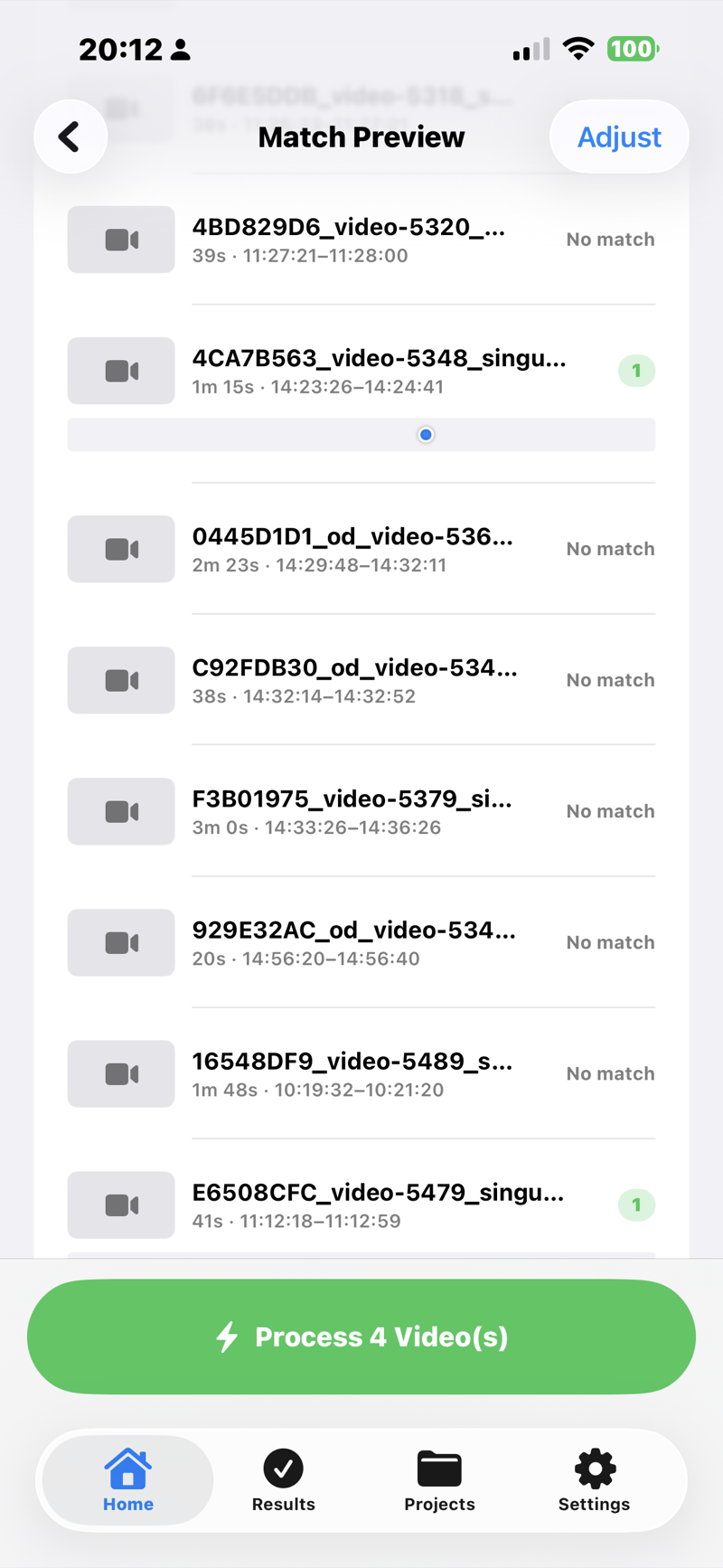
Add your POV video and the photos you took during the shoot. POV Syncer reads the time each photo was taken and places it at the exact moment in the video — no manual lining-up. You just review the matches and tap Process.
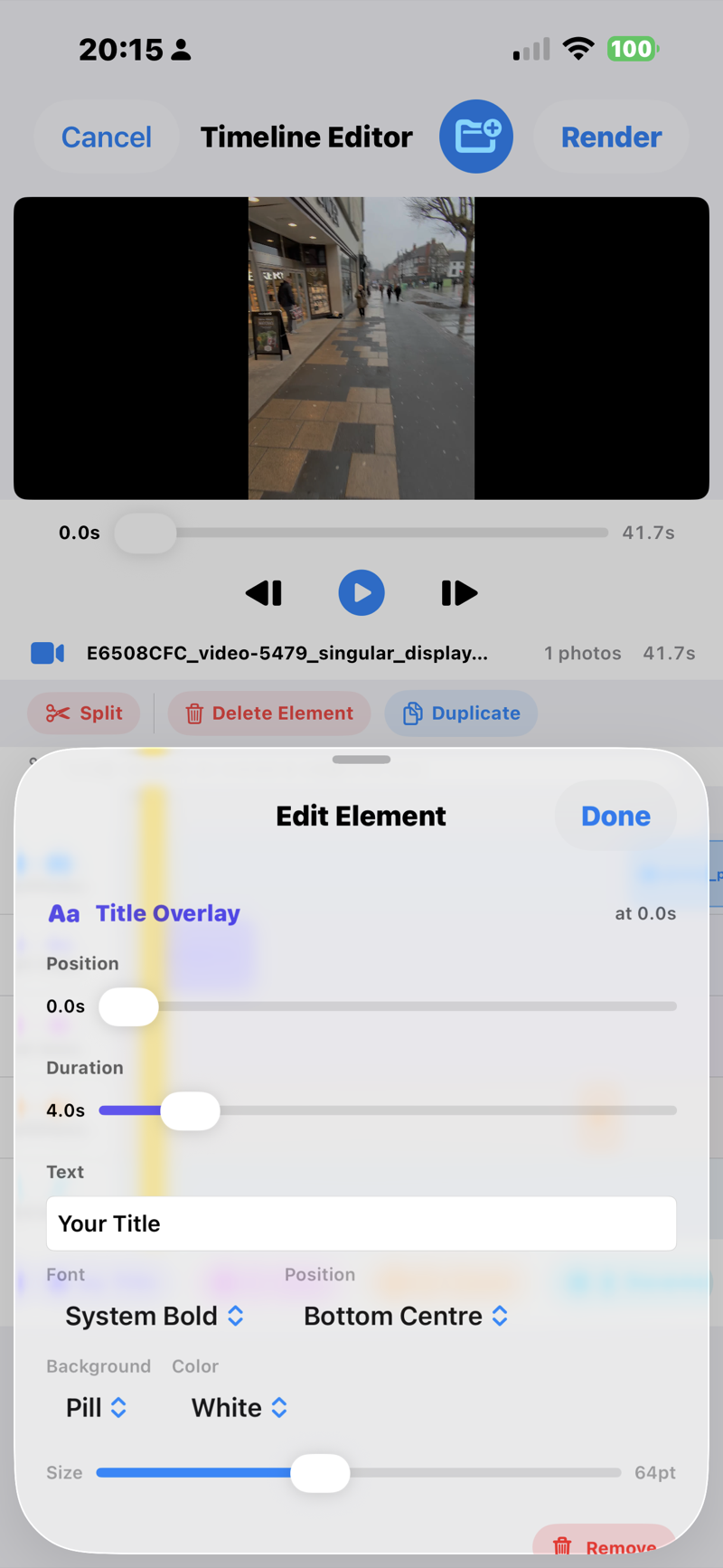
Happy with the auto-edit? Export as-is. Want more control? Open the four-track timeline to add title cards, drop in music, trim clips, and nudge photo timing — all with drag-and-drop.
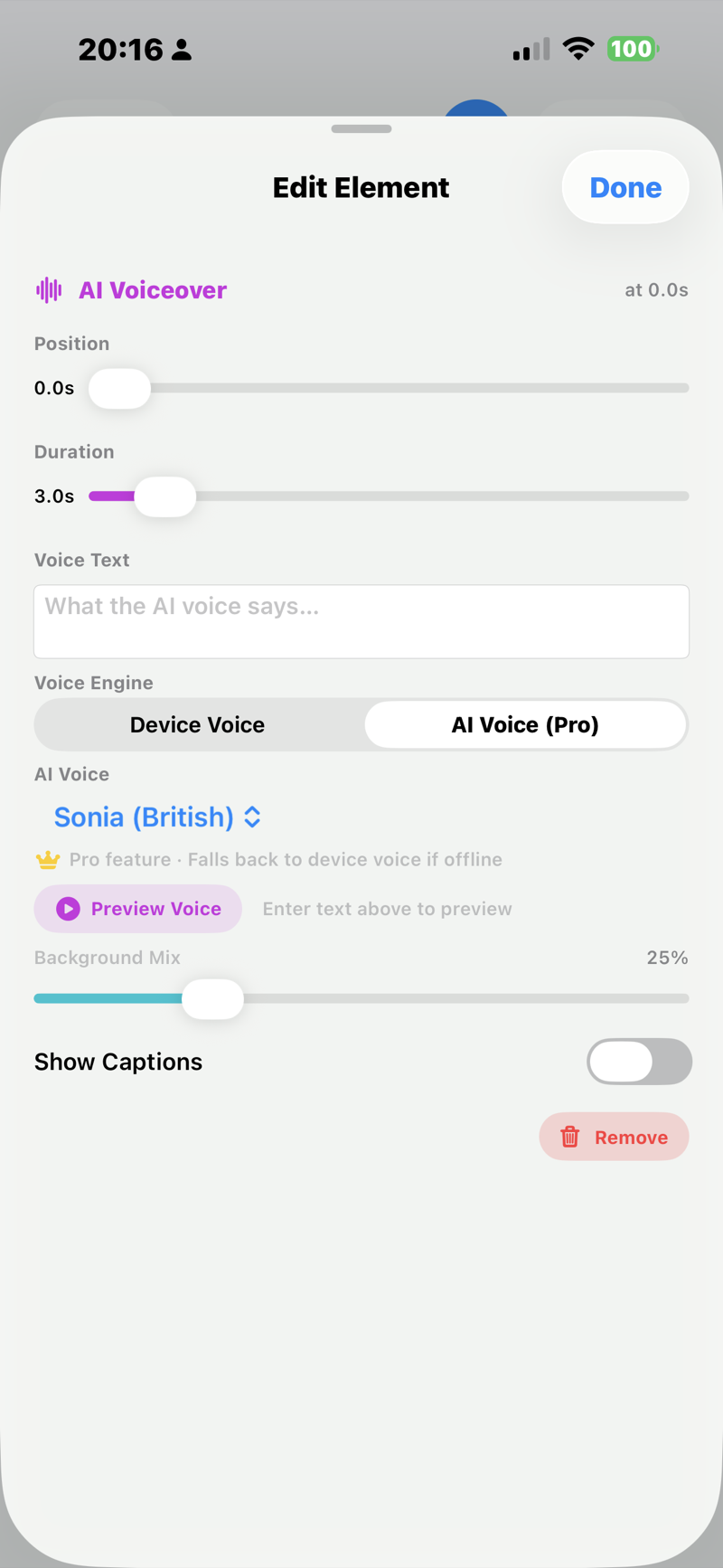
Record your own narration, or type a line and let one of six natural AI voices read it — British, American, or Australian. Captions are generated word-by-word, the format that performs on TikTok and Reels.
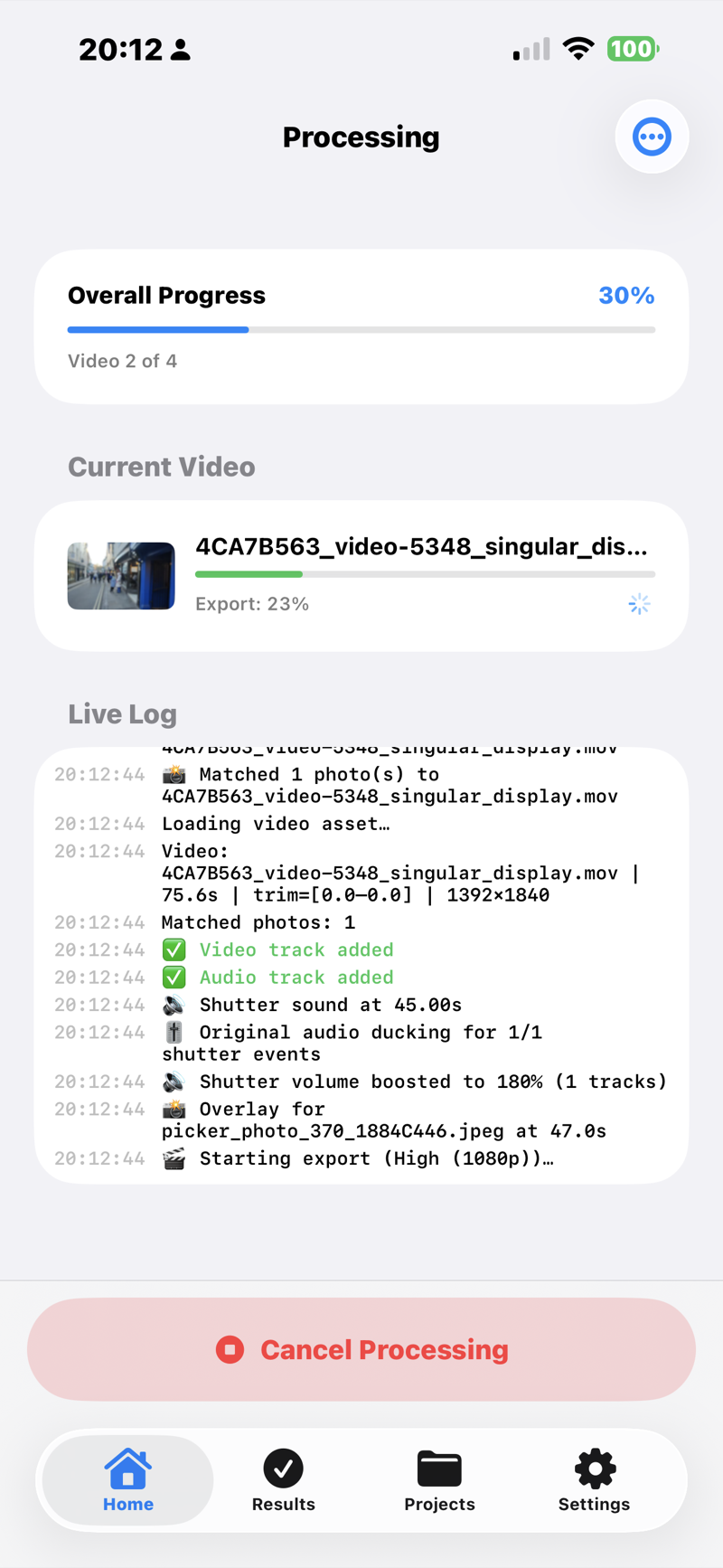
POV Syncer renders your video — shutter clicks, photo overlays, captions and all — then you export straight to TikTok, Instagram Reels, YouTube Shorts, or your Camera Roll. The whole thing takes about a minute.
Compatibility
Any camera that saves EXIF timestamps works with POV Syncer. Here are some popular setups.
Plus any DSLR, mirrorless, or phone camera with EXIF timestamp support.
Pricing
While POV Syncer is in beta, every feature is unlocked for testers at no cost — including AI voice narration. Here's how the plans will look at launch.
No credit card required
All Pro features unlocked for testers — pricing arrives at launch
FAQ
Free beta · iPhone
POV Syncer is in free beta on iPhone. Every feature is unlocked for testers — including AI voice narration — at no cost. Your feedback shapes the 1.0.
Apple's free app for trying betas. If you don't have it yet, grab it from the App Store first.
Get TestFlightTap the button below on your iPhone. It opens in TestFlight and shows the POV Syncer beta.
Install POV Syncer from TestFlight like any app. Open it and start syncing your shoot.
iPhone only for now · Free during beta · No account needed
We'll email you when we ship new features, tutorials, or major updates to POV Syncer. No marketing fluff, no daily newsletters — just the occasional heads-up worth opening.
We respect your inbox. Unsubscribe anytime.


