A real estate photography POV video answers all three questions in 60 seconds. It shows the property walk-through from your perspective, with the finished photographs appearing at their exact EXIF-matched timestamps in the footage. The agent watching it understands immediately what they're paying for — and why they should be paying for it. POV Syncer produces that video automatically from your action cam footage and your property stills, without hours of manual timeline editing.
What Real Estate Photography POV Videos Are
A real estate photography POV video combines footage of you walking through and photographing a property — captured on a wearable camera — with the finished property photographs, placed automatically at their EXIF timestamps in the footage. The viewer watches a professional photo session unfold in real time: arrival at the property, exterior assessment, interior walk-through, lighting setup, and the final photographs of each space.
The format is equally useful for two audiences:
- Current and prospective clients (estate agents and vendors). A behind-the-scenes video from a real shoot demonstrates your professionalism, your attention to light and composition, and the level of care that goes into each image. This is more persuasive than any portfolio.
- Other real estate photographers and photographers considering entering the market. Educational content about real estate photography workflow — how to move through a property, how to handle challenging lighting, how to choose angles — is consistently popular content in the photography community.
Why Real Estate Photographers Need This Content in 2026
Real estate photography is one of the most competitive photography markets, and in 2026 the competitive landscape has shifted significantly towards video-first social media. According to current industry research, short-form video (Reels, TikTok, Shorts) is the primary driver of new client acquisition for freelance real estate photographers. Static portfolio posts are increasingly less effective for discovery.
The BTS POV format is uniquely well-suited to real estate photographers because:
- Every shoot produces new footage — you're creating marketing content as a by-product of professional work rather than setting aside separate time for content creation.
- The property itself is the visual setting — agents and vendors immediately recognise the format as relevant to their world.
- The format directly demonstrates your value proposition — professional framing, wide-angle capture, lighting management — in a way that the finished images alone don't convey.
Pick Your Capture Approach for Property Shoots
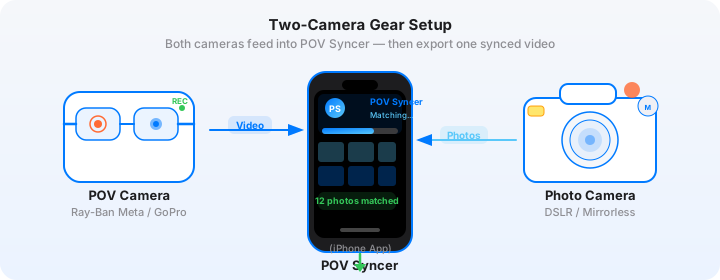
Insta360 GO 3S Clipped to Jacket (Recommended)
The Insta360 GO 3S is the ideal real estate POV camera. At 35 grams, it clips to a jacket or shirt collar without adding any perceptible bulk. It records 2.7K stabilised footage and is genuinely inconspicuous — important in occupied properties where the vendor is present and you don't want to appear to be filming their home with a large visible action camera. The magnetic clip means you can attach it in seconds when you arrive and remove it equally quickly.
Ray-Ban Meta Gen 2 (Most Natural Walk-Through Footage)
Ray-Ban Meta gives you eye-level footage of the property from the same perspective you're composing from. For educational content aimed at other photographers, this perspective is most instructive — viewers see what you see as you assess each room. For content aimed at agents, it gives a genuine "seeing the property as the photographer sees it" perspective.
GoPro Hero 13 on a Chest Harness (Most Context)
A chest-mounted GoPro gives you the widest view of each room — you can see both your camera on its tripod and the room you're shooting simultaneously. This is the most instructive setup for educational content because viewers can see your complete setup in context.
Insta360 X4 for 360-Degree Property POV
The Insta360 X4 held in hand or on a small monopod during the walk-through gives you full 360-degree footage of each room. You can reframe in post to show the room from any angle, or use the 360 footage to create a reframed walk-through video where the camera perspective changes dynamically. Requires more post-processing but produces spectacular results for premium property content.
The Gear: Action Cam + Property Camera
Insta360 GO 3S + Sony A7C II with FE 12-24mm f/4 G
The Sony A7C II is an excellent real estate camera — its full-frame sensor with excellent dynamic range handles the challenging mixed lighting of property interiors (tungsten practicals, fluorescent overheads, natural window light) better than APS-C sensors. The A7C II's compact body makes it easier to manoeuvre in furnished rooms. The FE 12-24mm f/4 G gives you the ultra-wide coverage that real estate photography demands — 12mm full-frame gives you the equivalent of about 8mm on APS-C, capturing complete rooms in a single frame.
Settings: RAW + JPEG (JPEG for immediate POV Syncer import; RAW for HDR blending if needed), f/8 for maximum depth of field, ISO 100 as base (use flash for exposure rather than high ISO), electronic shutter for silent shooting in occupied properties. Set UTC offset in Menu → Setup → Date/Time.
GoPro Hero 13 + Canon R6 Mark III with RF 15-35mm f/2.8L IS
The Canon R6 Mark III's IBIS combined with the RF 15-35mm IS makes handheld real estate photography viable in lower-light interiors — useful for fast-paced multi-property days where tripod setup time per room is a constraint. The R6 Mark III's high dynamic range sensor handles window-to-interior HDR captures well. Canon Camera Connect syncs the clock via GPS.
Ray-Ban Meta + Sony A7CR with FE 16-35mm f/2.8 GM II
The Sony A7CR at 61MP gives you extraordinary resolution for properties where large-format prints or architectural magazines are in the deliverables. The 16-35mm GM II covers typical real estate focal lengths with professional results. Ray-Ban Meta footage from the photographer's eye level gives educational content its most instructive perspective.
The Editing Time Problem — Solved
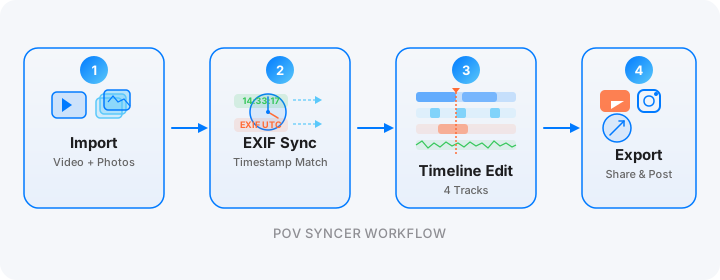
Real estate photographers often shoot multiple properties per day, producing 40 to 80 stills per property. Creating a BTS video from each property — even just a 60-second Reel — would previously require 2 to 3 hours of manual editing per property. For a photographer doing 4 properties a day, that's 8 to 12 hours of editing on top of the shooting day. It's simply not viable.
POV Syncer makes it viable. The EXIF matching for 60 property stills in a 90-minute session takes about 8 seconds. Review takes 10 minutes. Total: 15 minutes per property for a complete BTS video, ready to export. For a 4-property day, that's 60 minutes of post-processing for 4 pieces of marketing content — produced as a by-product of the work you were already doing.
In the App


On the timeline: add room name labels ("Living Room", "Kitchen", "Master Bedroom") in the title track using any of the 15 premium fonts. Add a brief AI narration: "This kitchen had north-facing windows and fluorescent overheads — I combined a single strobe at 45 degrees with the natural window light to get even exposure across the counter." Export 9:16 for Reels or 16:9 for a longer YouTube format.
Turn every property shoot into marketing content
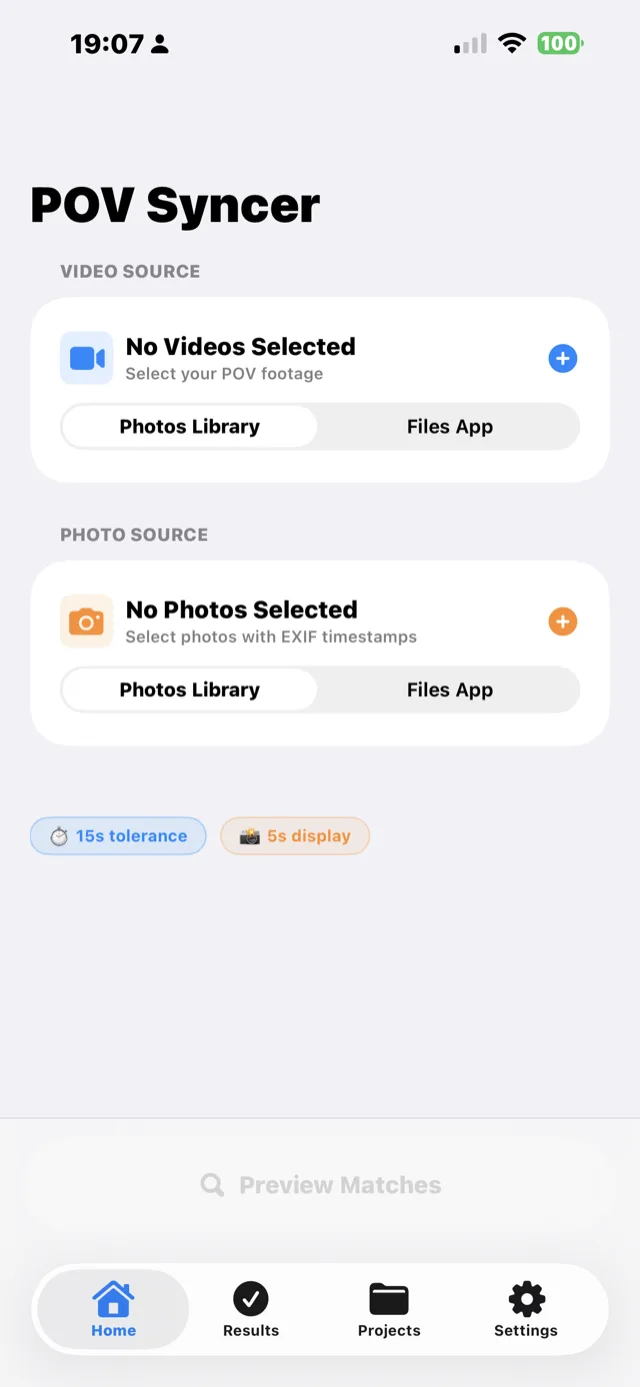
POV Syncer is free during beta. Clip on an Insta360 GO 3S, shoot your property session, import both files. EXIF matching produces a complete BTS video in under 15 minutes per property.
Download POV Syncer FreeWorks on iPhone, iPad, and Mac
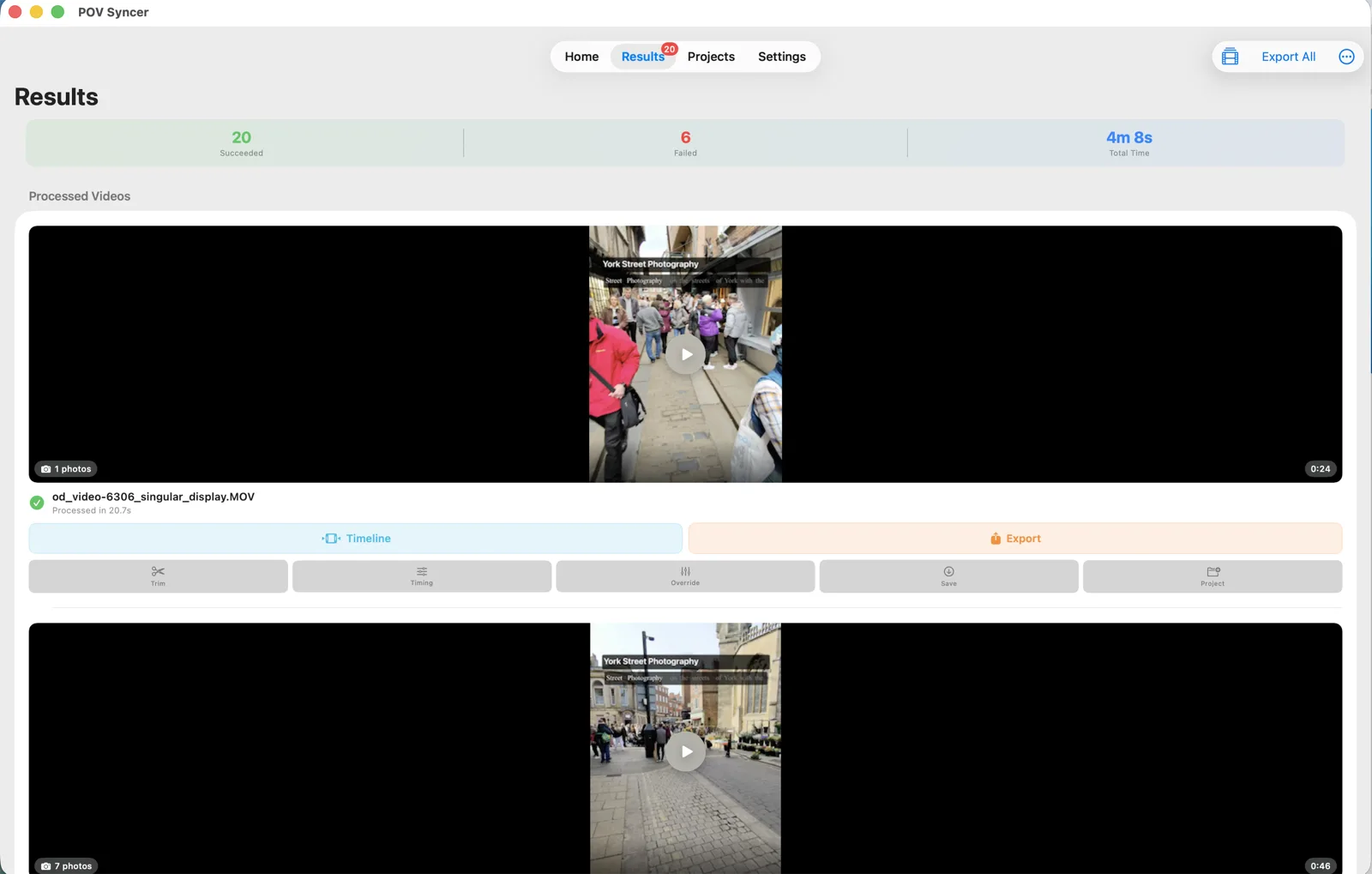
For real estate photographers, the batch processing capability on Mac is particularly valuable. At the end of a 4-property day, drag all clips and stills from all four sessions into four separate POV Syncer projects, set Export All to Photos running, and let it process overnight. Wake up with four complete BTS videos in your camera roll, ready to post.
Under the Hood: EXIF Matching for Property Walk-Throughs
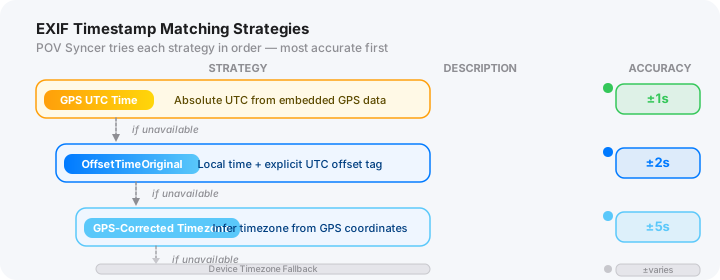
Property interior shooting rarely benefits from GPS (GPS signal is weak or absent in most buildings). The reliable workflow:
- Set UTC offset on your stills camera before every shoot day — connect to the companion app while outdoors at the first property.
- Insta360 GO 3S syncs its time via the companion app to your iPhone's GPS-referenced clock — ensuring the video timestamps are GPS-accurate even when shot indoors.
- OffsetTimeOriginal matching aligns the stills timestamps (relative UTC offset) against the video timestamps (GPS UTC reference) for accurate placement.
Six Tips for Real Estate Photography POV Videos
1. Get Vendor Permission Before Filming
Always obtain written permission from the vendor (property owner) before recording a walk-through video for social media. Include a simple consent clause in your booking terms. Most vendors are happy to be featured — it gives their property additional promotional exposure. If they decline, respect that and skip the BTS video for that property.
2. Film the Exterior First, Then Follow the Buyer's Journey
Structure your walk-through footage in the order a buyer would naturally experience the property: curb, front door, entrance hall, main living space, kitchen, bedrooms, bathrooms, garden. This narrative order makes the BTS video more watchable and mirrors the structure of the property listing itself.
3. Show the Lighting Decisions
The most instructive — and most engaging — moment in a real estate BTS video is watching you make a lighting decision. Moving a reflector, positioning a portable strobe, opening or closing a blind to control window light. These micro-decisions, shown on camera, demonstrate expertise that agents would never otherwise see.
4. Create Agent-Specific and Photographer-Specific Versions
The same session footage can produce two different BTS videos: one for agents (emphasising the property and your professionalism, lighter on technical detail) and one for photographers (emphasising technique, settings, and process). POV Syncer lets you create multiple projects from the same imported media — select different photographs and add different narration for each version.
5. Tag the Agent and Location in Social Posts
When you post a real estate BTS Reel, tag the estate agent in the caption. Many agents share BTS content about their listings on their own social channels — this gives your content additional reach to their network of vendors, potential vendors, and homebuyers. Tagging the location (town or area, not the specific address) adds geographical searchability.
6. Use the Batch Process for Weekly Publishing
Process the week's shoots every Friday using POV Syncer's batch process. A consistent weekly posting schedule (one BTS video per week) performs better for algorithmic discovery than sporadic high-volume posting. Set aside 30 minutes on Friday afternoons to batch process, caption, and schedule the week's BTS content.